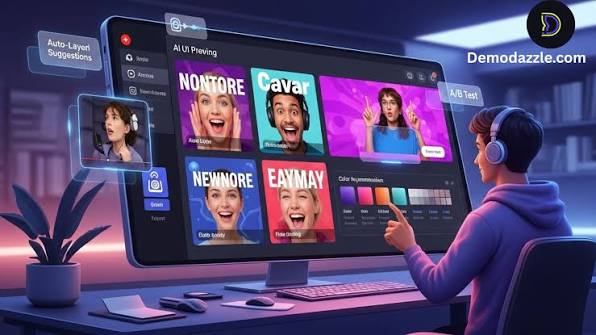
A great video can struggle to attract viewers if its thumbnail and title fail to capture attention. In a competitive environment where audiences scroll through hundreds of videos, the way you package your content can make a meaningful difference.
AI thumbnail and title generators promise to solve this problem by producing attractive visuals, suggesting compelling headlines, and helping creators optimize their videos for more clicks. But do these tools actually increase click-through rate (CTR), or are they simply making content look more professional?
The answer is more nuanced than many AI marketing claims suggest. Artificial intelligence can help creators develop and test better ideas, but it cannot guarantee higher CTR or replace an understanding of the audience.
What Are AI Thumbnail and Title Generators?
AI thumbnail and title generators are tools that use artificial intelligence to help creators design video thumbnails and write headlines. Some applications specialize in image creation, while others analyze video topics, suggest titles, or combine several features into a single workflow.
These tools typically use large language models, image-generation systems, computer vision, or data-driven recommendations to produce content suggestions.
Depending on the platform, an AI-powered workflow may help you:
- Generate multiple YouTube title variations from a video topic.
- Create thumbnail concepts based on a video script.
- Suggest short text overlays for thumbnail images.
- Remove backgrounds and improve subject placement.
- Generate alternative images, colors, and compositions.
- Analyze existing thumbnails and identify potential design improvements.
- Produce variations for A/B testing.
Instead of spending hours experimenting manually, creators can use AI to generate several creative directions in a much shorter period.
Why Do Thumbnails and Titles Matter So Much?
A thumbnail and title are often the first elements a potential viewer sees when discovering a YouTube video. Together, they communicate the topic, establish expectations, and provide a reason to click.
A strong thumbnail creates visual interest, while a strong title explains the value of watching. When both elements work together, they can make a video easier to understand and more appealing to the right audience.
The Role of the Thumbnail
The thumbnail is the visual representation of your video. It needs to communicate an idea quickly, especially on mobile screens where viewers may see it at a relatively small size.
Effective thumbnails often include:
- A clear main subject or focal point.
- Strong contrast between the subject and background.
- Simple composition without unnecessary visual elements.
- Readable text, when text adds useful context.
- Visual elements that accurately represent the video.
The Role of the Title
The title explains what viewers can expect. It should communicate the subject clearly while creating enough curiosity to encourage a click.
A good title generally combines relevance, specificity, and a compelling reason to watch. For example, a title that promises a practical solution may be more appealing than a vague description of the topic.
AI Tools for YouTube
More compelling title:7 AI Tools That Can Make YouTube Video Production Faster
The second version communicates a more specific benefit without promising an unrealistic result.
Do AI Thumbnail and Title Generators Really Increase CTR?
They can help, but there is no universal CTR improvement that applies to every channel or video. Results depend on the topic, audience, competition, traffic source, thumbnail design, title relevance, and the quality of the video itself.
AI can improve the creative process by generating more options and helping creators avoid repetitive ideas. It can also make professional-looking design more accessible to people without advanced graphic design skills.
However, generating more options does not automatically mean generating better options. A visually impressive thumbnail can still fail if it does not communicate the video’s actual subject.
More Creative Variations
AI can produce several title and thumbnail concepts quickly, giving creators more alternatives to evaluate.
Faster Production
Background removal, image editing, copy suggestions, and layout generation can reduce repetitive design work.
More Consistent Branding
Templates and reusable visual styles can help creators maintain a recognizable channel identity.
Risk of Generic Results
AI-generated concepts can look similar to other thumbnails and may lack a distinctive visual identity.
Understanding Click-Through Rate (CTR)
Click-through rate measures how frequently viewers click a video after seeing an eligible impression on YouTube.
The basic calculation is:
CTR = (Views from impressions ÷ Impressions) × 100
Example: If a video receives 500 views from 10,000 eligible impressions, its CTR is 5%.
CTR is an important diagnostic metric, but it should not be interpreted in isolation. A video can have a high CTR and still perform poorly if viewers leave shortly after clicking.
YouTube explicitly explains that its native title and thumbnail experiments use watch time to determine the winning option rather than optimizing for CTR alone. The objective is to attract viewers who actually want to watch the video, not simply generate clicks.
This distinction is important when evaluating AI tools: a generator that produces attention-grabbing but misleading headlines may increase clicks temporarily while damaging the overall viewing experience.
Best AI Tools for Generating YouTube Thumbnails
Several platforms can help creators develop thumbnail concepts, edit images, and produce polished designs. The best option depends on whether you need image generation, templates, editing, or channel-specific feedback.
1. Canva
Canva is a popular design platform for creating YouTube thumbnails, social graphics, presentations, and marketing materials. Its AI-powered features can support image creation, editing, and design workflows.
Best for: Beginners, creators, and marketers who want an accessible design environment.
Templates AI Design Image Editing2. Adobe Express
Adobe Express combines graphic design tools with AI-assisted creative features. It can help users create thumbnail layouts, edit images, and produce consistent visual assets.
Best for: Creators who want design flexibility and access to Adobe’s creative ecosystem.
Design Generative AI3. Piktochart
Piktochart focuses on visual communication, including infographics, presentations, and branded graphics. It can be useful when a video thumbnail needs a more informational or data-focused design.
Best for: Educational channels, business content, and infographic-style visuals.
Infographics Visual Content4. Fotor
Fotor provides online photo editing and AI-assisted image tools. Creators can use it to improve images, remove backgrounds, and develop thumbnail concepts.
Best for: Quick image editing and thumbnail production.
Photo Editing AI Images5. Kapwing
Kapwing is an online content creation and video editing platform with AI-assisted tools. It can support the production of visual assets connected to a larger video workflow.
Best for: Video creators who want editing and visual content tools in one workspace.
Video Editing Content CreationBest AI Tools for Generating YouTube Titles
AI title generators focus on copywriting rather than graphic design. They can help creators explore different angles, identify potential audience benefits, and create alternatives to an initial headline.
1. ChatGPT
ChatGPT can generate title variations, analyze a video’s main value proposition, suggest hooks, and adapt headlines to different audiences. It is particularly useful when you provide a detailed description or transcript instead of just a broad topic.
Best for: Brainstorming, headline development, and customized title variations.
2. vidIQ
vidIQ provides YouTube-focused research and optimization features. Its tools can help creators explore keywords, analyze channel performance, and develop video ideas and titles.
Best for: YouTube creators interested in topic research and channel optimization.
3. TubeBuddy
TubeBuddy offers tools designed to help YouTube creators manage and optimize their channels. Depending on the available plan and features, it can support title research, testing workflows, and metadata optimization.
Best for: Creators who want YouTube-specific workflow and optimization tools.
4. Copy.ai
Copy.ai is an AI writing platform that can assist with marketing copy, content ideas, and headline variations. It can be adapted to generate different title angles for video content.
Best for: Marketing teams and creators who produce content across multiple channels.
5. Jasper
Jasper focuses on AI-assisted marketing and content creation. It can help develop brand-consistent copy and explore different headline styles for videos and campaigns.
Best for: Marketing teams with established brand guidelines and content workflows.
AI Thumbnail and Title Generators Compared
| Tool | Main Function | Ideal User |
|---|---|---|
| Canva | Thumbnail design and AI-assisted editing | Beginners and creators |
| Adobe Express | Graphic design and image creation | Design-focused creators |
| Piktochart | Informational visual content | Educational channels |
| Fotor | Image editing and AI visuals | Quick design workflows |
| ChatGPT | Title generation and brainstorming | All types of creators |
| vidIQ | YouTube research and optimization | YouTube channel owners |
| TubeBuddy | Channel optimization and testing tools | Established creators |
| Jasper | Marketing copy and headlines | Marketing teams |
Features and pricing vary by product and subscription. Check the official websites for current availability and plan limitations.
How to Use AI to Create Better YouTube Thumbnails
Generating an image is only one part of thumbnail optimization. A successful design must communicate the subject clearly and make sense to the intended audience.
Step 1: Identify the Main Idea
Start by defining the most interesting or valuable element of the video. Ask yourself what a viewer should understand immediately after seeing the thumbnail.
For example, if your video explains how to build a website with AI, possible visual directions include:
- A comparison between a traditional website and an AI-generated website.
- A person looking at a finished website on a laptop.
- A before-and-after visual showing the transformation.
- A simple visual highlighting the main benefit of the tutorial.
Step 2: Create Several Visual Concepts
Instead of asking AI for one final image, generate multiple concepts with different compositions. Test variations in background, subject placement, lighting, contrast, and visual emphasis.
Step 3: Keep the Design Simple
Avoid overcrowding the thumbnail with too many objects, icons, or text elements. A simple design with one dominant subject is often easier to understand at small sizes.
Step 4: Add Text Only When It Helps
Thumbnail text should complement the title rather than repeat it. If the title already communicates the main idea, the thumbnail can provide an additional visual clue or emotional context.
Step 5: Check the Thumbnail on Mobile
View the final design at a small size. Make sure the main subject remains visible, the contrast is sufficient, and any text is readable.
AI Prompt for Creating YouTube Thumbnail Concepts
You can use the following prompt with ChatGPT or another AI assistant to develop thumbnail ideas before creating the actual design.
How to Use AI to Generate Better Video Titles
An effective title should make the topic immediately understandable while highlighting a reason to watch. AI can help explore different approaches instead of relying on the first idea that comes to mind.
Consider these five common title strategies:
1. Benefit-Driven Titles
Highlight what the viewer can learn, achieve, or improve.
Example: How to Edit Videos Faster With AI
2. Curiosity-Based Titles
Introduce an interesting question or unexpected insight.
Example: Why Most YouTube Thumbnails Don’t Get Clicks
3. List-Based Titles
Make the structure and scope of the content clear.
Example: 10 AI Tools Every Video Creator Should Know
4. Problem-Solving Titles
Address a specific problem that viewers want to solve.
Example: How to Fix Blurry YouTube Thumbnails
5. Comparison Titles
Help viewers evaluate alternatives before making a decision.
Example: Canva vs. Adobe Express: Which Is Better for Creators?
6. Experiment-Based Titles
Present a real test, experience, or measurable outcome.
Example: I Tested 5 AI Thumbnail Tools: Here’s What Happened
Interactive AI Video Title Generator
Try this simple title idea generator to explore different headline approaches for your next video. It uses basic templates to create starting points that you can refine with an AI writing assistant.
Generate Video Title Ideas
These are template-based suggestions, not predictions of CTR or AI-generated performance scores.
How to Test Whether AI-Generated Titles and Thumbnails Work
The most reliable way to determine whether a title or thumbnail improves performance is to test different versions with real viewers.
YouTube offers a native A/B testing feature in YouTube Studio for eligible creators. According to YouTube’s official documentation, creators can test up to three different titles, thumbnails, or combinations of both on eligible long-form videos.
The platform evaluates the options based on watch time share, not CTR alone. A test may take several days and up to two weeks to complete, depending on factors such as impressions and differences between variations.
This is an important distinction: a thumbnail that attracts more clicks is not necessarily the best option if the resulting viewers do not watch the video.
How to Run a YouTube A/B Test
- Open YouTube Studio on a desktop computer.
- Select an eligible video or upload a new long-form video.
- Open the video details and select the A/B testing option.
- Choose whether to test titles, thumbnails, or both.
- Upload or enter up to three variations.
- Allow the experiment to run and review the result in Analytics.
Eligibility requirements apply. For example, Shorts, private videos, and certain restricted video categories are not eligible for this feature. Check the official instructions before planning an experiment.
Official instructions: YouTube Help: A/B test titles and thumbnails.
What Should You Test?
| Test | Variation A | Variation B |
|---|---|---|
| Thumbnail composition | Close-up of the presenter | Product or main subject |
| Background | Simple solid background | Contextual environment |
| Text overlay | No text | Short supporting phrase |
| Title angle | How-to headline | Benefit-driven headline |
| Visual emotion | Neutral expression | Expression relevant to the topic |
For clearer insights, make the variations meaningfully different. Testing nearly identical images may not reveal which creative direction works best.
Example: Comparing AI-Generated Titles and Thumbnails
Imagine you publish a video about using AI to create professional YouTube thumbnails. You could develop three different title and thumbnail combinations.
Title: How to Create YouTube Thumbnails With AI
Thumbnail concept: A laptop showing a thumbnail design interface, with a clear before-and-after comparison.
Audience appeal: Viewers looking for a practical tutorial.
Title: Can AI Really Design Better YouTube Thumbnails?
Thumbnail concept: Two contrasting thumbnail designs with a question-focused visual.
Audience appeal: Creators interested in AI tools and experiments.
Title: 5 AI Thumbnail Tools Every YouTube Creator Should Try
Thumbnail concept: A clean visual showing several design options and a prominent number five.
Audience appeal: Viewers comparing tools and looking for recommendations.
There is no way to know which option will perform best simply by looking at the designs. The best choice depends on the audience, the video itself, and the results of a properly conducted experiment.
Common Mistakes When Using AI Thumbnail and Title Generators
1. Using Clickbait That Misrepresents the Video
A title that promises something the video does not deliver may attract curiosity initially, but it can disappoint viewers. Make sure the thumbnail and title accurately reflect the content.
2. Adding Too Much Text to Thumbnails
Long phrases can become difficult to read on mobile devices. Use a short supporting message when necessary and prioritize the main visual subject.
3. Relying Entirely on AI Images
AI-generated faces, objects, and interfaces can contain visual inconsistencies. Review every image carefully and correct details that could make the design look artificial or misleading.
4. Ignoring Channel Branding
If every thumbnail uses a completely different visual style, it may become harder for returning viewers to recognize your content. Develop a consistent color palette, typography, and layout system.
5. Optimizing Only for CTR
A high click-through rate does not automatically mean a video is successful. Consider watch time, audience retention, viewer satisfaction signals, and whether the content delivers on its promise.
6. Making Decisions Without Enough Data
Small differences in CTR can occur naturally as the audience and traffic sources change. Avoid declaring a winner based on a small number of impressions or a short observation period.
Best Practices for Increasing YouTube CTR With AI
- Understand your audience: Create titles and visuals that match what your viewers actually want to learn or discover.
- Generate multiple concepts: Ask AI for several distinct creative directions instead of accepting its first suggestion.
- Make the topic clear: Viewers should understand the subject without having to decode a complicated design.
- Use curiosity responsibly: Create interest without making promises the video cannot fulfill.
- Optimize for mobile: Check thumbnails at small sizes before publishing.
- Maintain brand consistency: Use recognizable visual elements across your channel.
- Test real alternatives: Use YouTube’s native experiment when eligible rather than relying only on AI predictions.
- Study performance over time: Compare results across similar topics and traffic sources where possible.
Are Paid AI Thumbnail and Title Generators Worth It?
Whether a paid tool is worth the cost depends on how frequently you publish and how much time you spend designing and optimizing video packaging.
A creator who uploads several videos every week may benefit from a specialized tool that speeds up design, generates concepts, or supports a repeatable workflow. Someone who publishes occasionally may find that free or low-cost tools are sufficient.
| Creator Type | Suggested Approach | Reason |
|---|---|---|
| Beginner YouTuber | Start with free design and writing tools | Learn what works before paying for advanced features. |
| Frequent Creator | Use AI design and title workflows | Save time and create more variations. |
| Professional Channel | Combine AI with native testing and analytics | Make decisions based on audience behavior. |
| Marketing Agency | Use standardized templates and team workflows | Maintain consistency across multiple clients. |
Frequently Asked Questions
They can help improve thumbnail quality and generate more creative options, which may lead to better CTR. However, no tool can guarantee an increase. The actual result depends on the audience, video topic, design, title, and content quality. A/B testing is the best way to evaluate performance.
Canva and Adobe Express are useful for accessible design workflows, while Fotor offers AI-assisted image editing. The best choice depends on whether you need templates, image generation, editing, or more advanced creative control.
Yes. ChatGPT can generate title variations, suggest different headline angles, analyze a video description, and adapt titles to specific audiences. Providing a transcript or detailed description usually produces more relevant suggestions than providing only a broad topic.
There is no universal CTR target that applies to every channel. Results vary by audience, topic, traffic source, and the number of impressions. Compare your videos with similar content on your own channel and evaluate CTR alongside watch time and retention.
CTR is one useful signal, but it is not the only measure of video performance. YouTube’s native title and thumbnail experiments select winning variations based on watch time share, emphasizing the importance of attracting viewers who continue watching.
Yes. Eligible creators can use YouTube Studio’s native A/B testing feature to compare up to three titles, thumbnails, or combinations on supported videos. Tests are available on desktop and may take up to two weeks to complete.
Creators can use AI-assisted images and design tools for thumbnails, provided the content follows YouTube’s applicable policies. Avoid deceptive imagery, impersonation, misleading claims, and copyright violations. Separate disclosure requirements may apply to realistic altered or synthetic content within the video itself.
Possibly, but first examine impressions, traffic sources, audience retention, and the video’s topic. A low CTR may indicate that the title or thumbnail needs improvement, but it can also reflect changes in the audience seeing the video. Consider testing a substantially different concept before making a decision.
Make AI Part of Your YouTube Optimization Strategy
AI thumbnail and title generators are useful creative assistants, not guaranteed growth tools. They can help you explore ideas, improve visual presentation, and produce more variations in less time.
The smartest approach is to combine AI-generated ideas with clear messaging, audience research, consistent branding, and real performance data. Let your viewers determine which creative direction works best.
Open YouTube StudioFinal Verdict: Are AI Thumbnail and Title Generators Worth Using?
Yes, AI thumbnail and title generators can be valuable tools for YouTube creators, marketers, and video production teams. They make brainstorming faster, simplify visual design, and provide more opportunities to experiment with different creative approaches.
However, their real value comes from how creators use them. A generated thumbnail is not automatically effective, and a clever title does not guarantee that viewers will stay to watch.
If you want to improve your click-through rate, start by understanding your audience, creating several meaningful title and thumbnail variations, and testing those options with real viewers. Ultimately, the best thumbnail is not the one AI considers most attractive. It is the one that accurately communicates your video and attracts viewers who genuinely want to watch it.